




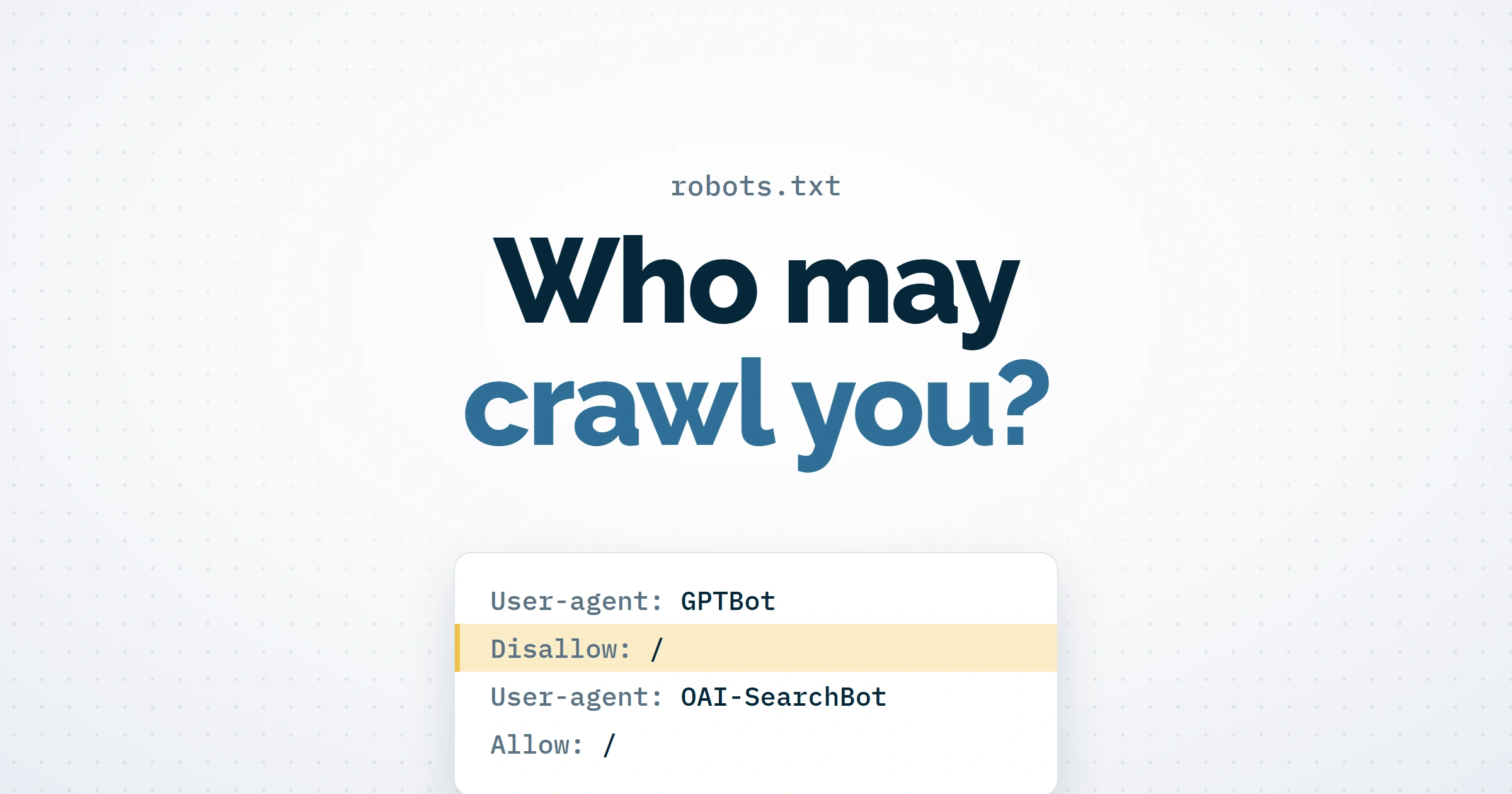
Only partly. A robots.txt file asks crawlers which pages they may fetch, and the main AI companies publish separate controls for different uses of your content, so you can refuse some model training while staying eligible for AI search. Google-Extended also covers grounding in Gemini Apps and Vertex AI, so the split is less clean at Google. A block does not remove pages already collected, and several fetchers that act on a user’s request say they generally ignore the file.
The answer in brief
- The standard rules in robots.txt express crawling preferences. Google’s Gary Illyes calls it an “access preference protocol” that does not govern what a system does with data it has already crawled, although some companies read extra tokens in the file as usage controls.
- AI companies give different jobs different tokens: training (
GPTBot,ClaudeBot), search (OAI-SearchBot,Claude-SearchBot,PerplexityBot) and fetches made for a user.Google-Extendedcovers Gemini training and grounding. - Some fetchers can request pages despite a block. Google says Google-Agent and its other user-triggered fetchers generally ignore robots.txt, OpenAI says robots.txt may not apply to ChatGPT-User, and Perplexity says Perplexity-User generally ignores it. Anthropic says Claude-User follows it.
- Blocking
Google-Extendeddoes not affect inclusion or ranking in Google Search. AI Overviews, AI Mode and generative AI features in Discover have their own setting in Search Console. A Googlebot block stops crawling, yet the URLs can still appear in results. To remove a page, usenoindexin a meta tag or HTTP header and leave the page crawlable so Google can read it. - A block takes effect once an obeying crawler refreshes its copy, and how long that takes varies by company. It does not by itself delete anything already collected. robots.txt is public and voluntary, so anything private needs a login.
What does robots.txt actually control?
Its standard rules say which URLs a crawler may request. Google’s own robots.txt guide says the file is mainly used to avoid overloading a site and “is not a mechanism for keeping a web page out of Google”: a blocked URL can still appear in results, without a description. The instructions also “cannot enforce crawler behavior”. Well-behaved crawlers obey them, and others may not.
Google made the same point about AI in a Search Central video on 21 October, the second episode of its series The Non-Canonical Cabinet. Search Engine Journal reports Gary Illyes, citing RFC 9309, the standard behind robots.txt, as saying it “doesn’t dictate what a system does with the data” once it has been crawled. Google-Extended uses the ordinary User-agent and Disallow lines; it works as a usage control because Google defines it as one. Once an obeying crawler has fetched your new file, a valid block stops it fetching those pages again. The block does not by itself ask anyone to delete what was already collected, and its effect on search visibility depends on the service.
Changes take time to reach the crawlers. Google generally caches robots.txt for up to 24 hours, and longer if it cannot refresh the file. OpenAI says changes to its search results can take about 24 hours, and Perplexity allows up to 24 hours for its systems to reflect an update.
Which AI crawlers can you block, and what does each one do?
You can refuse any crawler that follows robots.txt by naming its token in a group of its own. Google, OpenAI, Anthropic and Perplexity each publish the names their crawlers and fetchers answer to, and most separate training from search. The table covers the main ones, plus Google-Extended, a control token that never shows in your logs because Google crawls with its usual user agents.
If the table extends beyond the screen, scroll sideways to view all columns.
| Crawler or control token | Company | What it does | Follows robots.txt? |
|---|---|---|---|
Google-Extended |
CompanyGoogle | What it doesControls whether content Google crawls may be used to train future Gemini models and for grounding in Gemini Apps and Grounding with Google Search on Vertex AI. It has no user agent of its own, and blocking it does not affect inclusion or ranking in Google Search. | Follows robots.txt?Yes, it is a robots.txt control token |
Google-Agent |
CompanyGoogle | What it doesAgents hosted on Google infrastructure that browse and take actions when a user asks | Follows robots.txt?Google says its user-triggered fetchers “generally ignore robots.txt rules” |
Google-GeminiNotebook |
CompanyGoogle | What it doesFetches pages for Gemini Notebook, formerly NotebookLM, at a user’s request | Follows robots.txt?Listed among Google’s user-triggered fetchers, which generally ignore it |
GPTBot |
CompanyOpenAI | What it doesCrawls content that may be used to train OpenAI’s foundation models | Follows robots.txt?Yes |
OAI-SearchBot |
CompanyOpenAI | What it doesFinds pages to show in ChatGPT search | Follows robots.txt?Yes, with search changes taking about 24 hours |
ChatGPT-User |
CompanyOpenAI | What it doesVisits a page when a user asks ChatGPT or a custom GPT a question | Follows robots.txt?OpenAI says robots.txt rules “may not apply” |
ClaudeBot |
CompanyAnthropic | What it doesCollects content that could contribute to model training | Follows robots.txt?Yes |
Claude-SearchBot |
CompanyAnthropic | What it doesIndexes content to improve Claude’s search results | Follows robots.txt?Yes |
Claude-User |
CompanyAnthropic | What it doesFetches pages when a Claude user asks a question | Follows robots.txt?Yes, Anthropic says its bots honour robots.txt |
PerplexityBot |
CompanyPerplexity | What it doesFinds and links websites in Perplexity search results; Perplexity says it does not crawl content for AI foundation models | Follows robots.txt?Yes |
Perplexity-User |
CompanyPerplexity | What it doesFetches pages to answer a user’s question | Follows robots.txt?Perplexity says it “generally ignores robots.txt rules” |
OpenAI also runs OAI-AdsBot, which visits only pages submitted as ChatGPT ads, to check them against its policies and to judge when an ad is most relevant to show; OpenAI says the data it collects is not used to train its foundation models. Our guide to ChatGPT Ads creative enhancements covers why those landing pages matter. Google’s Google-CloudVertexBot crawls only when a site’s owner asks it to, for building Vertex AI agents, and has no effect on Google Search. Meta’s crawlers have their own quirks, which our post on Meta’s crawlers and robots.txt sets out; Meta has since moved its new business terms to 20 November 2026.
Why do user-triggered fetchers ignore robots.txt?
Because a person asked for the page, the companies treat the request more like a browser visit than a crawl. Google’s list of user-triggered fetchers says that “because the fetch was requested by a user, these fetchers generally ignore robots.txt rules”. Google-Agent identifies agents hosted on Google infrastructure that browse and act for a user. Google is also testing Web Bot Auth, a way to check cryptographically that a request comes from its agents, though it does not sign every request, so keep using its other verification methods as well.
OpenAI and Perplexity take the same line for ChatGPT-User and Perplexity-User. Anthropic is the exception among the four: its crawler page says its bots honour robots.txt, Claude-User included, and warns that blocking its IP addresses may not work reliably, because that stops it reading your robots.txt file.
For fetchers that may ignore robots.txt, ask your hosting or security provider about targeted rules that check a request against each company’s current published IP ranges. Do not rely on the user agent alone, which Google warns can be spoofed, and avoid blocking a company’s whole network, which can shut out the crawlers you want as well. Blocking these fetchers can also stop an assistant reading your page when someone asks about you.
Will blocking AI crawlers hurt your Google rankings?
Not if you block the right token. Google’s crawler documentation says Google-Extended “does not impact a site’s inclusion in Google Search” and is not a ranking signal. Blocking Googlebot is a different matter: its rules cover Google Search and all its features, so Google stops crawling those pages for Search, although their URLs can still appear in results without a description. To take a page out of Search, put noindex in a meta tag or HTTP header and leave the page crawlable so Google can see it. Google does not support noindex in robots.txt.
AI Overviews, AI Mode and generative AI features in Discover have a setting of their own, the Search generative AI control, under Settings for the property you select in Search Console. Google says it is not a ranking or inclusion signal for the rest of Search, and that it does not affect AI training, for which it points to Google-Extended. On 21 October Google refreshed its guide to controlling what you share with Search to list this control beside the robots meta tag, data-nosnippet and X-Robots-Tag. Our guide to the AI Overviews opt-out covers that setting and what it costs.
What changed in Google’s robots.txt guidance in October?
On 23 October Google updated its robots.txt specification to recommend percent-encoding rule paths. Google already treats a raw path and its encoded form the same way, so Disallow: /foo/bar/ツ and Disallow: /foo/bar/%E3%83%84 block the same URLs. Google says percent-encoding “can make it easier to process these files with third-party tools and services.” In the same video, Search Engine Journal reports Google’s Cherry Prommawin warning that “other or older crawlers on the web might get confused” by raw characters.
The crawling changelog gives the reason as keeping the documentation in line with The Non-Canonical Cabinet series. Edit your existing file instead of replacing it, so you keep the rules, exceptions and sitemap lines it already holds, and replace the example paths with your own. An excluded path still needs a login if it holds anything private. A file that blocks training crawlers, keeps search crawlers and uses an encoded path could look like this:
# Opt out of Gemini training and grounding; Search inclusion and ranking are unaffected
User-agent: Google-Extended
Disallow: /

# Opt out of OpenAI model training
User-agent: GPTBot
Disallow: /

# Opt out of Anthropic model training
User-agent: ClaudeBot
Disallow: /

# Stay eligible for ChatGPT search; repeat the default exclusions
User-agent: OAI-SearchBot
Allow: /
Disallow: /basket/
Disallow: /caf%C3%A9/admin/

# Default exclusions for crawlers that follow this group, path percent-encoded
User-agent: *
Disallow: /basket/
Disallow: /caf%C3%A9/admin/
Google picks the most specific group that names a crawler, combines any groups for that same name, and does not add the User-agent: * rules to it. That is why the OAI-SearchBot group repeats the two exclusions: without them, naming the crawler would open the basket and admin paths to it. The training groups here have no Allow lines, so Disallow: / blocks every path for them; if your file already has a group for the same crawler, check it for Allow lines, because RFC 9309 and Google both combine groups that name the same crawler. The example paths end in /, so /basket/ does not cover /basket; check which versions your site serves.
Is there a way to say crawl but do not train?
Use each company’s own controls for now. Refusing GPTBot while allowing OAI-SearchBot does that for OpenAI, and Google-Extended refuses Gemini training and grounding without affecting inclusion or ranking in Google Search. Other schemes can state a usage preference in the file: Cloudflare’s Content Signals add a line such as Content-Signal: search=yes, ai-train=no to the User-agent: * group, where search means ordinary results and excludes AI summaries; the example leaves the separate ai-input preference unset. Cloudflare says some companies “might simply ignore them”. A general standard is being written at the IETF: the AI preferences working group’s draft on attaching usage preferences, co-written by Gary Illyes, would add a usage rule to robots.txt and HTTP headers. Version 05, dated 19 August 2026, is still an Internet-Draft.
What should you do now?
Choose your policy for each use of your content, then apply the controls each company supports.
- Decide by use. Choose separately whether you want ordinary search visibility, AI search visibility, model training and assistants reading pages for users.
- Protect private content first. Put it behind a login, because robots.txt is public and enforces nothing. Use
noindexonly for pages that should leave Google Search altogether, since it removes them from ordinary results as well as AI features. - Save your current file. Download yoursite.co.uk/robots.txt before changing it, and check www and every other subdomain you use, including any that has no file, because Google says robots.txt files are not inherited by subdomains or parent domains. Look for broad
Disallowrules underUser-agent: *that block search crawlers you want to keep. - Make targeted edits. Check any existing group for the same token, including its
Allowexceptions, before adding aDisallow: /group for each training token you want to refuse. Keep theAllowandDisallowrules you need inside any search crawler group you name, and percent-encode non-ASCII paths. - Test the live file. Open it in your browser, then use Search Console’s robots.txt report to check Google’s fetched copy for errors. Test a few public pages and a few excluded paths with URL Inspection, and use Request a recrawl if Google needs a critical change quickly. These checks show how Google reads the file, which other companies’ crawlers may not match.
- Check access after a day or two. Look at requests for the blocked pages, since crawlers that obey the file still fetch robots.txt itself. Verify any crawler that appears against the company’s published IP ranges, and check that your firewall or CDN is not blocking crawlers you want to allow. Logs show what was fetched, not how earlier copies are used, and Google-Extended never appears in them.
- Review the vendors’ pages every quarter. Names change: Google switched its NotebookLM fetcher to Google-GeminiNotebook on 16 July 2026. A named group covers only the names it contains, and the
User-agent: *group covers other crawlers that follow standard matching, though Google’s AdsBot crawlers must be named explicitly. A user-triggered fetcher like that one may ignore robots.txt whatever it is called.
robots.txt remains a useful way to state your crawler preferences and to decide whether some AI search features can use your pages. Our guide to GEO covers the visibility side.
If you want your robots.txt reviewed, or a crawler policy written for your site, talk to AIWIZ.