


You can now see which AI agents visit your website, and what they try to do there, in Microsoft Clarity. On 4 November 2026 Microsoft set out the agent reporting in its free analytics tool: an Agent Activity dashboard that shows which agents arrive, whether they search, log in, fill in forms, book or reach checkout, and how that traffic changes over time. A new simulation feature tests whether an agent can finish a task on your site at all.
Knowing that AI crawlers read your pages does not tell you whether AI agent traffic converts. A crawler reading your product pages tells you little about sales, while an agent that reaches your checkout for a customer and stalls can be a lost order that your analytics may record as an ordinary visit. Clarity’s report is a useful start with real limits: it covers the three agent operators Microsoft names, it cannot separate what the agent did from what the person did, and we could find no Microsoft setup guide for it.
The answer in brief
- Clarity’s Agent Activity dashboard shows which AI agents visit your site and what they do: searches, form submissions, logins, downloads, appointment bookings and checkout. Clarity is free, and Microsoft says the new features are available globally.
- Microsoft names Google, OpenAI and Anthropic as the supported agent operators for now. Agents from other companies, including Perplexity and Microsoft’s own Copilot, are not named.
- Agent Activity and Bot Activity are separate reports. Bot Activity counts crawler and bot requests from your CDN or server logs, and that connection may cost money with your provider.
- Microsoft says bot requests do not show that an AI answer used or cited your content.
- Simulations test whether an agent can complete a task on your site. Microsoft is starting with shopping and travel.
- Black Friday falls on 27 November. If you sell or take bookings online, check that Clarity records every checkout or booking step, then remove whatever stops an agent needlessly: a forced login, an unnecessary CAPTCHA, an offer shown only in an image.
How do you find Agent Activity in Clarity?
Look for it once Clarity has recorded agent visits. Microsoft says the dashboard is generally available “for projects with agentic traffic”, but does not say what counts as agentic traffic or when the report appears. On 12 November we opened two active Clarity projects, aiwiz.uk and a UK manufacturer’s site. In both, the AI Visibility menu at the top of the dashboard listed Bot activity and Citation (plus Topic insights, in beta, on one of them), and nothing for agents. The session filters offered a Bot Traffic option with a single “All bots” choice and no agent filter.

So if you cannot find the report:
- Check the tag first. Make sure Clarity records your checkout or booking pages, including any separate payment or booking domain, and that your consent banner passes a signal for UK visitors. Set the Clarity tag itself to wait for analytics consent in your tag manager, rather than relying on the banner to block it: if the two race, Clarity can run before the visitor chooses.
- Look under AI Visibility on the dashboard. That is where Microsoft’s other AI reports sit, and its announcement links agent analytics to Clarity’s AI Visibility page.
- Give it time, or test it. If no supported agent has visited, there is nothing to report. Running your own journey with an agent from Google, OpenAI or Anthropic may produce a session Clarity can classify, though our tests below did not.
We tested this on 12 November with two agents on aiwiz.uk, signed out of the site. Three hours later the project had no agent report, and the results show how much depends on your own setup:
- Claude’s built-in browser, analytics accepted. Recorded, but as an ordinary visitor: Chrome on Windows, with three pages joined into one session and no agent or bot label.
- ChatGPT’s cloud browser. Not recorded at all. A cookie choice with analytics switched off was already stored, so the Clarity tag never loaded.
Two lessons follow. Your consent setup affects whether agent visits can be measured: if Clarity loads only after consent, it cannot record an agent that ignores or declines the banner. And a handful of test visits did not switch the report on for us, so do not rely on Agent Activity as a test harness. For testing your checkout today, watch the agent run yourself and note where it stops.
What should you fix when an agent fails at checkout or booking?
Find the step where agent sessions stop, then decide whether what stops them is a deliberate check, such as a payment approval, or friction you can remove. We found no Microsoft checklist, so the list below is ours, built from where its study shows agent sessions going and the failures it describes.
- Track the steps separately. Set up Smart Events or a funnel for basket, checkout start, payment and order confirmation, or for booking request and confirmation. Clarity’s own data shows why: “Checkout” and “Order success” are different events, and only the second is meant to mark a completed order. Project admins can create up to 20 custom Smart Events under Settings, Smart events, New event, built from button clicks, page visits or API events, so check what each one fires on: a click on a checkout button is not an order. Clarity cannot record inside third-party iframes, so an embedded payment or booking widget may be invisible to it. Then check that each order or booking exists in your order system or CRM, because that is where the sale is confirmed.
- Test the journey with an agent. Run a simulation if Clarity offers one for your project. Then try the same purchase or booking yourself with a supported agent, and once more as a customer, and compare where each one slows down. Use a test postcode, dummy details and a sandbox payment so the final step creates nothing real.
- Check your bot protection. CAPTCHAs, JavaScript challenges and firewall rules can stop legitimate agents as well as scrapers. Microsoft’s own Azure Front Door AI bot rules, in preview for Front Door Premium, put verified agents acting for a user in a category of their own, which shows the choice can be made deliberately. Ask your CDN or security provider which agents its rules challenge. A visit blocked at the edge never loads the Clarity tag, so it will not appear in Agent Activity at all. Some agents now sign their requests: OpenAI says ChatGPT Work’s cloud browser uses Web Bot Auth, which Cloudflare, Akamai, HUMAN and Vercel recognise, so a rule can allow verified traffic while the rest stays challenged.
- Put offers, delivery options and stock in page text. A discount that appears only in a banner image or a pop-up is easy for an agent to miss, and a missed promotion is Microsoft’s own example of a lost customer.
- Offer guest checkout and booking. Logins appeared in 6.83% of agent sessions in Clarity’s study. A forced account at checkout can make an agent stop or hand back to the person.
- Make forms and banners readable. Give every field a real label, write error messages in plain words, and check that your cookie banner never covers the checkout or booking button. Date pickers that only work by dragging are worth a test.
- Plan for the handoff. Agents may pass sign-in and payment back to the person, and OpenAI’s allowlisting guide says its cloud browser cannot sign in to websites or complete payments at launch. Keep the basket or chosen slot when the person takes over, check that a returning customer cannot create a duplicate booking, and do not time the session out within a few minutes. A pause for the customer to approve payment is a sensible control; a form that loses the chosen slot is a fault.
One measurement point follows from this. Clarity cannot separate agent clicks from human ones within a session. If an agent’s checkout or form submission fires your conversion tags, it can count as a conversion in your ad platforms unless they filter it out, and automated bidding learns from those conversions, so keep an eye on lead quality as agent traffic grows.
What does Microsoft Clarity’s Agent Activity show?
It shows which AI agents visit your site, what they do once they arrive and how much agent traffic you get over time. Microsoft lists the actions it tracks as searches, form submissions, logins, downloads, appointment bookings and checkout.
It helps to separate three kinds of AI traffic. A crawler requests pages to index them or collect content. A referral is a person clicking a link in an AI answer and landing on your site, which a referrer or UTM tag can show. An agent visit is software using your site on the customer’s behalf, and no referrer can tell you who was driving the browser. Agent Activity covers the third kind; our GA4 audit for ChatGPT traffic covers the second.
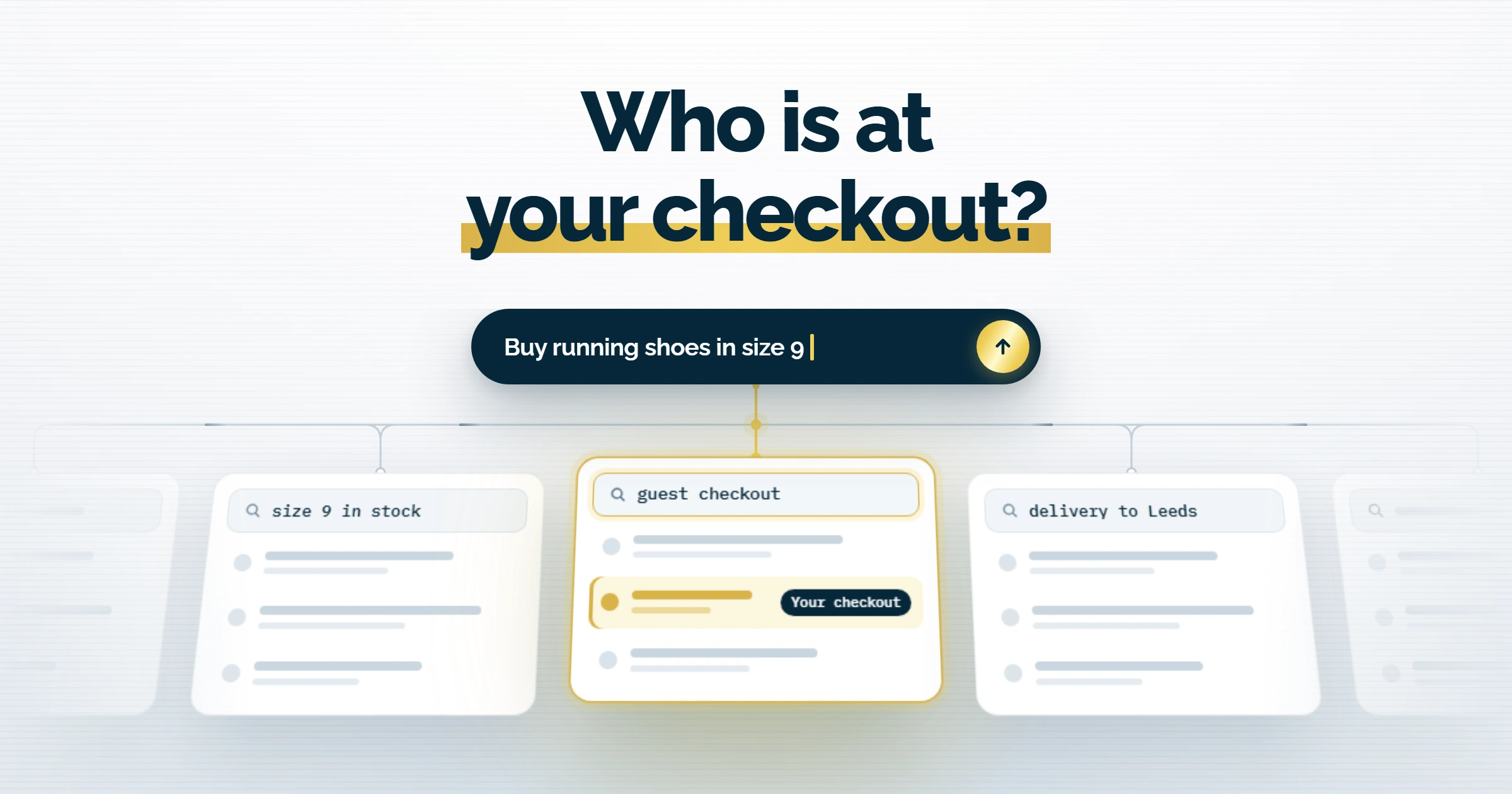
The Clarity announcement frames the problem in shop terms: “An agent might find the right product but miss a promotion.” When that happens, you may lose the sale without ever seeing why. Clarity’s answer has two parts. The dashboard reports what supported agents did on real visits. Simulation assessments test a task before a real customer tries it, and report whether the agent finished, how long it took, how many interactions it needed and where it struggled. Simulations start with commerce and travel. The announcement does not say which agent runs them, how many runs a project gets or whether they will stay free.
Microsoft announced the dashboard as generally available on 29 October, alongside a Clarity study of agent sessions. It covered more than 5.2 million agent sessions (5.23 million in Microsoft’s 4 November footnote) across 230,511 Clarity projects between 13 August and 9 September 2026. Microsoft says weekly agent sessions nearly doubled in three weeks, to almost 2 million. Checkout was recorded in 25.21% of agent sessions and 14.65% of human sessions on the same sites. Appointment bookings appeared in 8.42% of agent sessions.
Read those figures with care. Microsoft says an agent session can include a handoff to the person, and Clarity cannot split the two, so an action logged in an agent session may have been the human’s. Microsoft adds that the events overlap and are not steps in a funnel. “Checkout” is also a different event from a completed order: human sessions logged Checkout in 14.65% of cases and Order success in 1.79%. PPC Land worked out that dividing the checkout count by its percentage implies a base of about 1.22 million sessions, well short of the 5.23 million headline. That does not show which sessions Microsoft counted, and the study does not explain the gap, so use the figures to choose what to investigate on your own site.
Microsoft uses Agent Activity for the dashboard and Agentic Analytics for the wider feature, which also covers simulations.
If the table extends beyond the screen, scroll sideways to view all columns.
| Report | What it tells you | Where the data comes from | What it costs |
|---|---|---|---|
| Agent Activity | What it tells youWhich agents visit, and what they do on the page, from search to checkout | Where the data comes fromVisits recorded on your pages, for agents from Google, OpenAI and Anthropic | What it costsFree |
| Bot Activity | What it tells youWhich bots and AI crawlers request your pages, how often, and which paths | Where the data comes fromRequest logs from a CDN or server you connect | What it costsFree in Clarity; your provider may charge |
The same announcement added Ask Clarity, a plain-language analytics assistant in closed beta for retailers, and wider Brand Agents, which can put eligible Shopify and WooCommerce products in Copilot and Bing.
How do you set up Bot Activity, and what might it cost?
You connect Clarity to your CDN or server, and that connection is the part that can cost money. Bot Activity reads request logs and shows which bots and AI crawlers fetch your pages, what share of all requests they make and which paths they hit most. It does not show what an agent did on a page after it loaded. If your question is whether agents get through checkout, a working Clarity tag on your checkout pages matters more than this connection.
Microsoft’s Bot Activity guide sets out three steps:
- In your Clarity project, open Settings, then AI Visibility.
- Connect a supported server or CDN. Microsoft documents six: WordPress through the Clarity plugin, Cloudflare, Fastly, Amazon CloudFront, Akamai and Azure Front Door.
- Once logs are flowing, open Dashboards, then AI Visibility, then the Bot Activity tab.
In the project itself, Settings, AI Visibility shows a Bot activity card with a Get started link, which opens an Add provider list of five CDNs: Fastly, Amazon CloudFront, Cloudflare, Azure Front Door and Akamai. WordPress is not in that list; Microsoft says the latest Clarity WordPress plugin turns the connection on by default. That depends on how you installed Clarity. aiwiz.uk runs on WordPress but loads Clarity through its SEO plugin, SEOPress, rather than Microsoft’s plugin, and its Bot activity card still showed as not connected on 12 November. Shopify is not among the six, so a Shopify store without its own CDN account has no documented route for Bot Activity.
Clarity charges nothing for AI Visibility or Bot Activity. Microsoft’s cost guide says any provider charges are billed to you directly, and lists where they come from:
If the table extends beyond the screen, scroll sideways to view all columns.
| Connection | What Microsoft says may cost money |
|---|---|
| WordPress plugin | What Microsoft says may cost moneyUsually negligible; depends on your hosting plan and traffic |
| Akamai | What Microsoft says may cost moneyNothing beyond your existing plan |
| Cloudflare | What Microsoft says may cost moneyYour plan tier and Logpush, which is usually on paid plans and may have usage-based pricing |
| Fastly | What Microsoft says may cost moneyRequest volume, log delivery and data transfer |
| Amazon CloudFront | What Microsoft says may cost moneyRequests, Amazon Data Firehose ingestion, delivery, and S3 storage for failed logs |
| Azure Front Door | What Microsoft says may cost moneyEvent Hubs, Container Apps compute, diagnostic log export and storage |
Two details catch people out. Disconnecting in Clarity hides the dashboard but keeps logs flowing, and the charges with them, until you remove the integration at the provider. On WordPress, Microsoft’s disconnection guide says the only way to stop Bot Activity data is to uninstall the plugin, which removes the site’s Clarity project.
UK sites have one more check. Since 31 October 2025, Clarity has needed a valid consent signal for full functionality on visits from the UK, the EEA and Switzerland. Without consent it collects cookieless data and gives each page view its own ID, so a journey across several pages may not join up. We found nothing from Microsoft on how Agent Activity treats an agent that declines or ignores your cookie banner, so test it on your own checkout. The ICO’s guidance on storage and access technologies says logs or recordings of individual visitors and the actions they took need consent under PECR, unless they are for security. It does not deal with agent visits separately. The ICO is also gathering evidence on how data protection law applies to agentic AI, with responses due by 20 November 2026. That is a consultation deadline and sets no new duty for websites.
Is Bot Activity worth connecting before Black Friday? On WordPress or Akamai, yes: it costs little and gives you a baseline of crawler load during your busiest weeks. On CloudFront or Azure Front Door, price it first. Either way, the crawler data will not tell you why an agent left your checkout.
Which AI agents can Clarity identify, and which does it miss?
Clarity supports agents from three named operators: Google, OpenAI and Anthropic. A footnote to Microsoft’s announcement lists these as the supported agents for now, and the October study detected sessions only from those three. Microsoft says it classifies sessions by detecting agentic browser providers, but its methodology does not say how.
The gaps start in Microsoft’s own post, which opens by naming two agents, Muse and Dots, as examples of agents shopping and booking, without saying who makes them. PPC Land points out that the best-known Muse is Meta’s agent, and Meta is not on the supported list. Neither is Perplexity, nor Microsoft’s own Copilot. We found nothing from Microsoft on whether visits from unsupported agents count as ordinary visitors, appear as unidentified bots or drop out.
So Clarity’s agent count leaves out at least some agent visits, and two more things make it an imperfect measure. Agents can hand control back to the person at a login or payment step, and Clarity records both halves as one session. Identification is also hard in general: Arkose Labs found that only 2.3% of legitimate AI agent sessions in its Q3 2026 data, covering steps such as login and checkout, carried a verified Web Bot Auth signature, so most agent traffic there had to be recognised by other means.
Your server logs can fill part of the gap. The Bot operator view in Bot Activity has a toggle between all identified bots and automated agents, and the fetchers that assistants send when a user asks about a page, such as Google-Agent and ChatGPT-User, show up in request logs by name. Once you have checked that the name is genuine, those requests tell you an assistant fetched the page. They say nothing about what happened next.
How does this fit with robots.txt and AI crawler controls?
robots.txt governs crawlers, and several of the main agents acting for a user do not follow it, so blocking an agent is a firewall decision that can cost you sales. Google says its user-triggered fetchers, Google-Agent among them, generally ignore robots.txt. OpenAI says its rules may not apply to ChatGPT-User, and Perplexity says Perplexity-User generally ignores robots.txt. Anthropic says its bots honour robots.txt and lists Claude-User among them. Our guide to whether robots.txt stops AI companies using your content lists each token and what it controls. The standard behind the file, RFC 9309, says its rules do not authorise or block access, so anything private needs a login.
Microsoft’s firewall documentation makes the same point: because a person starts the request, interactive agents might not follow robots.txt, and a firewall rule applies whether they do or not. Blocking that category also stops assistants reading your pages when a customer asks about you. For a shop, that is a choice to make on purpose, page by page if needed, and the checkout is the last place to make it by accident.
Bot Activity sits upstream of all this. It shows which crawlers fetch which pages, and Microsoft’s guide warns that bot requests don’t indicate content was “retrieved, grounded, cited, or surfaced in AI generated responses”. To see whether AI answers cite you, use Clarity’s AI citations report or AI Performance in Bing Webmaster Tools; our guide to Bing Topics Portfolio and AI citation gaps shows how to read the second. Microsoft’s wider argument, that sites now serve people browsing, people asking AI and agents acting for people at the same time, runs through our write-up of Microsoft Advertising Activate 2026.
What should you check before Black Friday?
Check the checkout first. Black Friday falls on 27 November, which leaves time to confirm that the Clarity tag fires on every checkout and booking page, that your consent banner passes a signal for UK visitors, and that each step you care about is tracked as its own event. Then run your own checkout or booking with an agent, watch where it stops and fix the plainest blocker on that page. If Agent Activity has appeared in your project, use it to see where real agent sessions stop. The crawler data can wait if connecting it costs money.
Agent friction has become a conversion problem, and Clarity now puts numbers on it at no charge. If you would like us to run your checkout or booking flow past an agent before the rush, talk to AIWIZ.